How to Merge PDF Files Online for Free (No Software Needed)

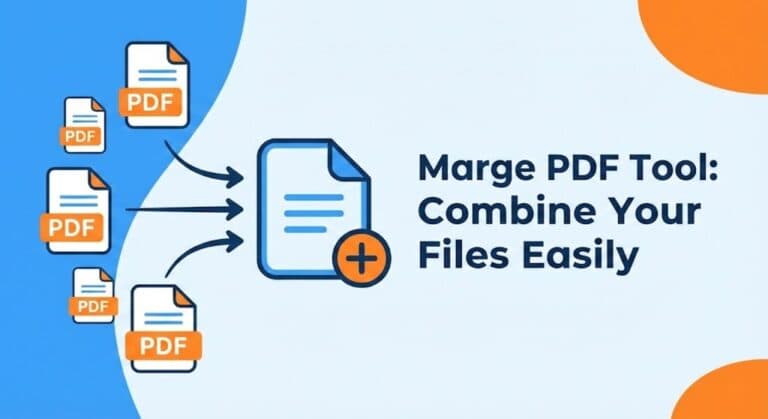
How to Merge PDF Files Online for Free (Step-by-Step Guide)
Merge PDF – Combine PDF Files Online for Free | RunToolify
People still talk about ways to merge PDF files online without paying a dime. This guide walks you through it step by step.
Combining PDF documents does not need to feel like a hassle. You might be putting together reports or mixing contracts. Or maybe you are sorting out study materials. Keeping everything in a single neat PDF just simplifies things a lot. The good news is that you can do this merge PDF online free. You do not have to download any bulky software. RunToolify offers easy PDF tools that handle it all.
This guide covers what the Merge PDF tool actually does. It explains why it counts for so much. You will see how to combine PDF files right away. We use clear step-by-step directions here.
What the Merge PDF Tool Really Is
RunToolify’s Merge PDF tool gives you a straightforward online way to join several PDF files. It turns them into one tidy document.
Everything runs right in your browser. That means no need for setups or add-ons. You do not require any tech know-how either. You just upload the files. Then arrange them. Finally merge.
It suits students and pros alike. Freelancers find it useful too. Pretty much anyone dealing with digital docs can benefit.
Why This Tool Matters So Much
PDFs rank as one of the safest formats out there. They get used everywhere too. Still handling a bunch of them separately turns things chaotic fast.
A merge tool fixes that in key ways. You end up saving time since all stays in one spot. Folders and email attachments stay less cluttered. You build unified PDFs that look sharp for talks or hand-ins. Compatibility problems between versions fade away. Workflows across jobs school or home run smoother.
Any solid merge PDF online free option keeps these jobs easy and quick. It opens up to just about everyone.
Standout Features in RunToolify’s Merge PDF Tool
RunToolify’s tool at
👉 https://runtoolify.dev/pdf-tools/merge-pdf
shines because it focuses on quickness privacy and ease for users. It comes free to use. You can merge as many PDFs as you like without a charge.
Files process fast thanks to server tweaks. They combine in seconds flat. The drag-and-drop setup lets you shuffle pages or whole docs before joining. Security stays tight since uploads vanish right after handling. That keeps things confidential.
No installs needed at all. It runs in browsers on mobiles tablets or desktops. You handle multiple PDFs in a single session too.
How It All Works in Plain Terms
You upload PDFs to RunToolify and the system grabs them for a bit. It sorts the pages however you pick. Then it spits out a fresh merged file you can download clean and ready.
Nothing gets stored forever. No sharing of data happens. You just get speedy merging and a quick download.
Steps to Use the Tool Right
These steps make combining PDFs pretty simple. Follow along.
First head to the Merge PDF tool. Go through RunToolify to PDF Tools then Merge PDF. Or jump straight to:
👉 https://runtoolify.dev/pdf-tools/merge-pdf
Next upload your PDF files. Hit the upload button or drag them into the spot.
Then rearrange as needed. Drag the files around to set the order for your final doc.
After that click merge. RunToolify handles the processing and joins them into one PDF.
Finally download the new merged PDF. Just click to save it right away.
The whole thing wraps up in under a minute usually.
A Real Example from Everyday Life
Picture yourself as a college student on a big project. You have a PDF for the intro part. Another holds research data. One more has diagrams. Your teammate sent the conclusion as a PDF too.
Attaching four files to an email feels clunky for submission. Instead use RunToolify to merge PDF online free. Upload them all. Arrange the order. Merge and download. Now one pro looking organized PDF sits ready to go.
Perks of the Merge PDF Tool
RunToolify makes combining PDFs bring real upsides. It cuts time on manual doc fiddling. Files stay organized in clean combined versions. Reports and presentations gain a more pro edge. The privacy setup keeps files safe first. It works across platforms like Windows macOS iOS or Android. Even beginners handle the interface without trouble.
When to Pull Out This Tool
Reach for the Combine PDF tool whenever you aim to submit assignments or reports as one PDF. It helps organize docs with multiple chapters. Scanned pages join into a single file easily. Email attachments drop in number. Prep for printing or archiving goes smoother. Business stuff like contracts invoices or forms merge well.
If PDF consolidation fits your routine this tool eases it all up.
Ideas for Internal Links
✔ Compress PDF Tool
👉 https://runtoolify.dev/pdf-tools/pdf-compress
✔ Split PDF Tool
👉 https://runtoolify.dev/pdf-tools/split-pdf
✔ PDF to Image Tool (closest matching tool in sitemap)
👉 https://runtoolify.dev/pdf-tools/pdf-to-image
✔ Image to PDF Tool (reverse conversion)
👉 https://runtoolify.dev/image-tools/image-to-pdf
Common Questions Answered
The Merge PDF tool runs completely free. RunToolify lets you merge PDF online free with no sneaky fees.
Uploading PDFs stays safe. Files get deleted automatically post-processing for full privacy.
You can merge more than two PDF files. Upload and combine as many as needed.
The tool works fine on mobile devices. RunToolify’s Merge PDF tool handles mobiles without issues.
No account creation comes required. Skip signups or installs. Just upload and merge.
Rearranging files before merging works easy. Drag and drop them into your preferred order.
Large PDFs pose no big problem. The tool manages them. Still use the Compress PDF feature later if size matters.
Wrapping It Up
Merging PDFs need not drag on complicated. RunToolify’s Merge PDF tool lets you combine files fast secure and totally free. It runs straight from your browser. Students pros or folks sorting personal docs all save time this way. Organization improves too.
Give it a shot at:
👉 https://runtoolify.dev/pdf-tools/merge-pdf
Your doc handling gets simpler than before.

RunToolify
Author at RunToolify. Passionate about web development, programming, and sharing knowledge with the developer community.